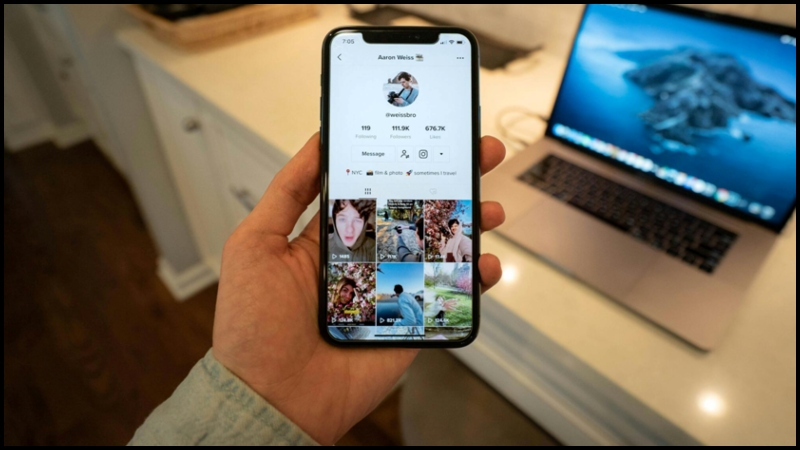
People scroll fast, and if your video does not grab attention in the first two seconds, it gets ignored. The good news is you can change that with simple videos created online that clearly share value, spark interest, and drive action-no fancy gear or studio needed. Picture short, polished videos that load quickly, look professional, and help grow your audience with ease.
All it takes is a clear plan, the right tools, and a process you can repeat every time. Read the full article to learn each step and start creating social media videos that truly work.
One Goal, One Audience, One Impact
Start each short video with one clear goal, like selling, teaching, entertaining, or building trust. A single purpose keeps your script simple and your message easy to follow. When viewers understand the goal quickly, they pay attention and act faster.
Know who your audience is and what matters to them. Use clear, natural language that connects and avoids confusion. Match your tone to the platform while keeping your message simple, consistent, and engaging.
Structure Your Videos for Maximum Impact
Breaking your video into three parts makes it easier to follow and more engaging. Start with a strong hook to grab attention, then clearly explain your main points so viewers understand your message. End with a clear takeaway that leaves your audience knowing exactly what to do next.
Visuals and questions can make your video more interesting. Use bold graphics, text, or quick questions to keep viewers watching. Show simple steps and finish with one clear action for your audience, making it easy for them to engage or respond.
Script Sound and Flow: Keep It Clear and Engaging
A strong script isn’t just about words on a page-it’s about how it sounds when spoken. Use short, clear sentences that are easy to read aloud. Avoid long, complicated phrasing that slows the pace or loses your audience.
Visual planning makes recording smoother and your video sharper. Create a shot list with 3-6 key visuals, including angles and B-roll. This keeps your filming organized and ensures the final edit flows naturally.
Simple Tricks for Professional-Looking Videos
Soft, natural light can turn basic footage into eye-catching content. Position yourself in front of a window and set your camera at eye level for the best appearance. Good lighting makes your videos feel bright, clear, and professional without extra gear.
Keeping your video steady matters just as much. Use a tripod or a stable surface to avoid shaky shots that distract viewers. Clear audio is key too-use an external microphone or record in a quiet space with the mic close to your mouth for the best sound.
Effortless Video Editing for Any Platform
Short, clear edits keep viewers engaged, and choosing the right online editor ensures your workflow is smooth and efficient. Many tools offer fast trimming, mobile-ready export, built-in templates, and animated text to make your content stand out across multiple platforms. Explore an all-in-one solution that lets you create free videos with templates and auto-resize, speeding up editing while keeping file sizes small for seamless social sharing.
Visuals That Speak: Clips, Music, and Captions
Use short B-roll clips to give your video context and make it visually engaging, but always stick to free, legal sources for music and footage to avoid copyright issues. High-quality, royalty-free images and clips can be found on platforms like Unsplash, which also serve as a source of inspiration. For accessibility and impact, add concise captions and highlight key points, keeping on-screen text to just 2-4 words per line so viewers can read it quickly, even when watching on mute.
Make Your Videos Stand Out
Each platform has its best video style. Reels, TikTok, and Shorts do well in vertical 9:16 and 15-60 seconds long, Instagram feed likes square 1:1 or vertical 4:5, and YouTube is best with horizontal 16:9 for longer videos. Using the right format helps your content look professional and perform better.
Thumbnails and first frames are key to grabbing attention. Choose high-contrast images, align the first frame with your hook, and include a clear headline. When format and visuals are right, your videos get more views and keep people watching.
How to Make Your H3 Work Hard
When writing an H3, include one or two strong keywords that clearly show what your content is about. Keep the description short and helpful, giving readers a clear reason to click. Add one strong link to your landing page or product to guide people straight to what matters most.
Effective use of hashtags and tags can significantly increase your reach. Use 2-3 niche-specific tags to target your audience and 3-5 broader tags to reach more people. Focus on relevance instead of quantity to make sure your content connects with the right viewers.
Post Smart for Maximum Reach
Upload your videos directly to each social media platform to boost reach and visibility. Post when your audience is most active so your content gets noticed faster. Focus on consistency over chasing viral hits-aim for one to three short videos each week.
Regular posting keeps viewers engaged and builds trust over time. It also gives you more chances to see what works and improve your content. By planning timing, staying consistent, and uploading directly, your videos perform better and reach the right people.
Measure, Learn, and Grow Smarter
Keep a close eye on your results to see what works and what doesn’t, reviewing key metrics often to spot trends and gaps. Look at view-through rates, engagement, and clicks to understand which content grabs attention and sparks conversation. Test small changes like hooks, captions, or thumbnails, keep what performs best, and refine your approach over time for steady growth.
Turn Simple Videos Into Real Growth
Social media video creation gets easier when you focus on what matters most: clarity, speed, and consistency. Simple planning helps you stay on message, while smart online tools save time and keep your videos looking clean and professional. Testing different hooks, formats, and captions shows you what connects with your audience so you can improve fast.
Start with short videos, stay clear in your message, and post regularly to build momentum. Take action now by using the tools and checklist shared above, and keep learning by reading our blog for more practical tips, examples, and proven strategies that help your videos perform better.